Original languages
Hover over a word (or touch it on a tablet) to see its Hebrew or Greek original and lexicon entries. Click it to gather every verse using the same word in the Concordance.
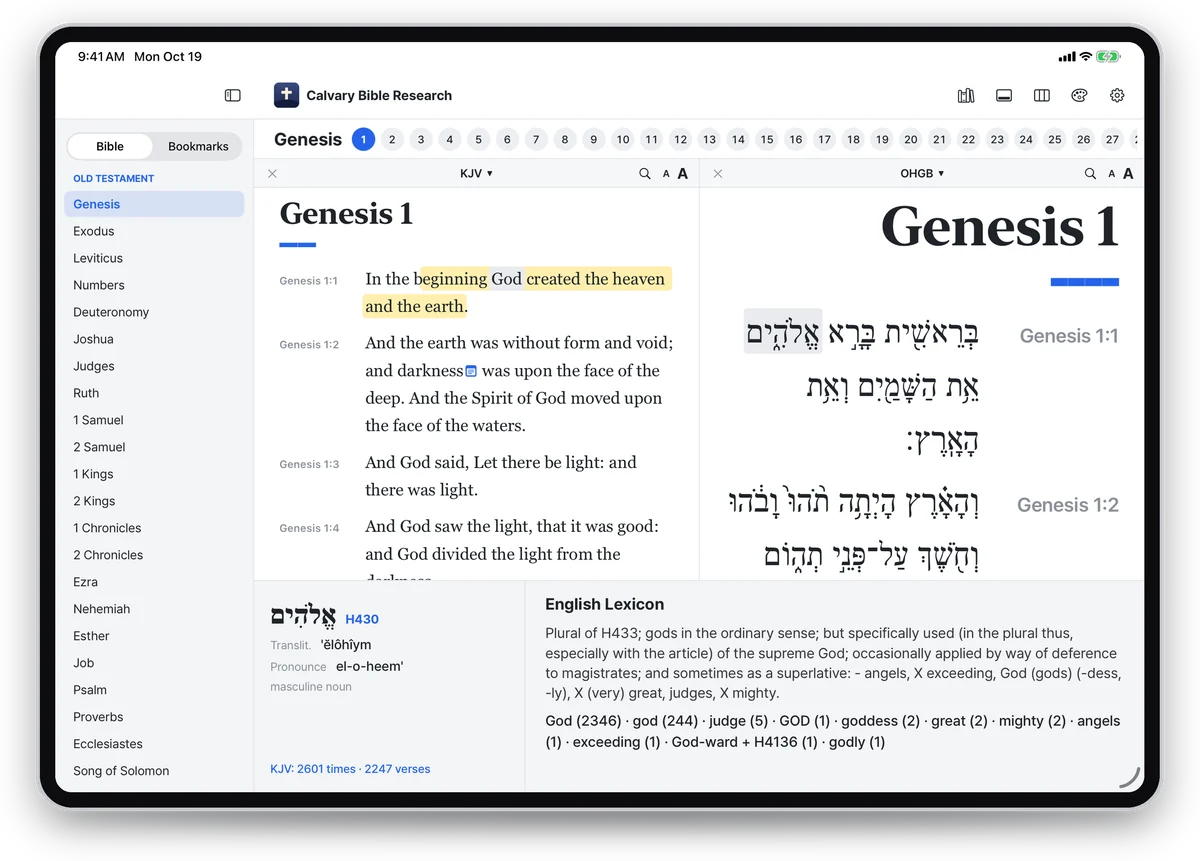

Hover over a word (or touch it on a tablet) to see its Hebrew or Greek original and lexicon entries. Click it to gather every verse using the same word in the Concordance.
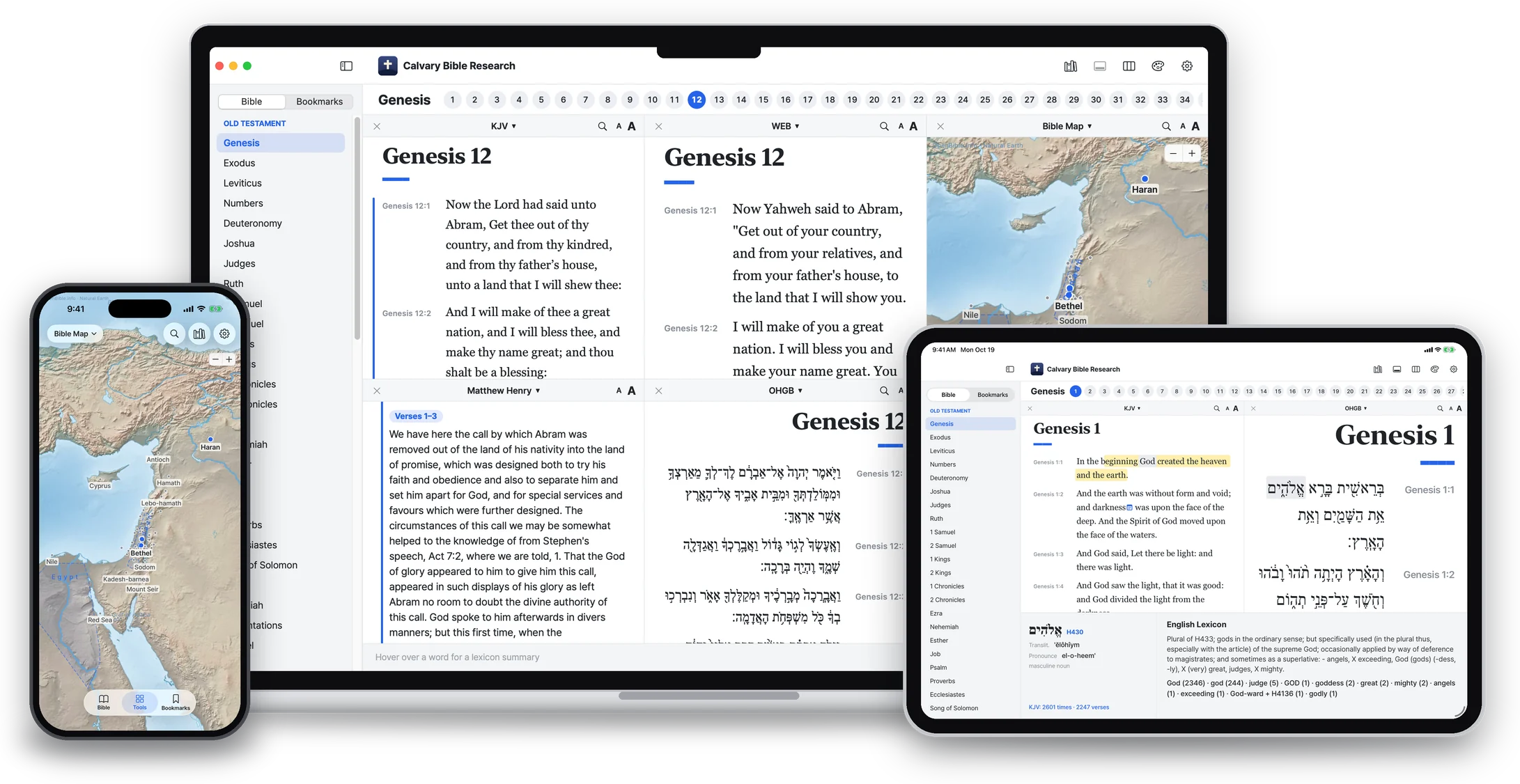
Spread out Bibles, the original text, commentaries, dictionaries and maps side by side. Bible panes scroll together.
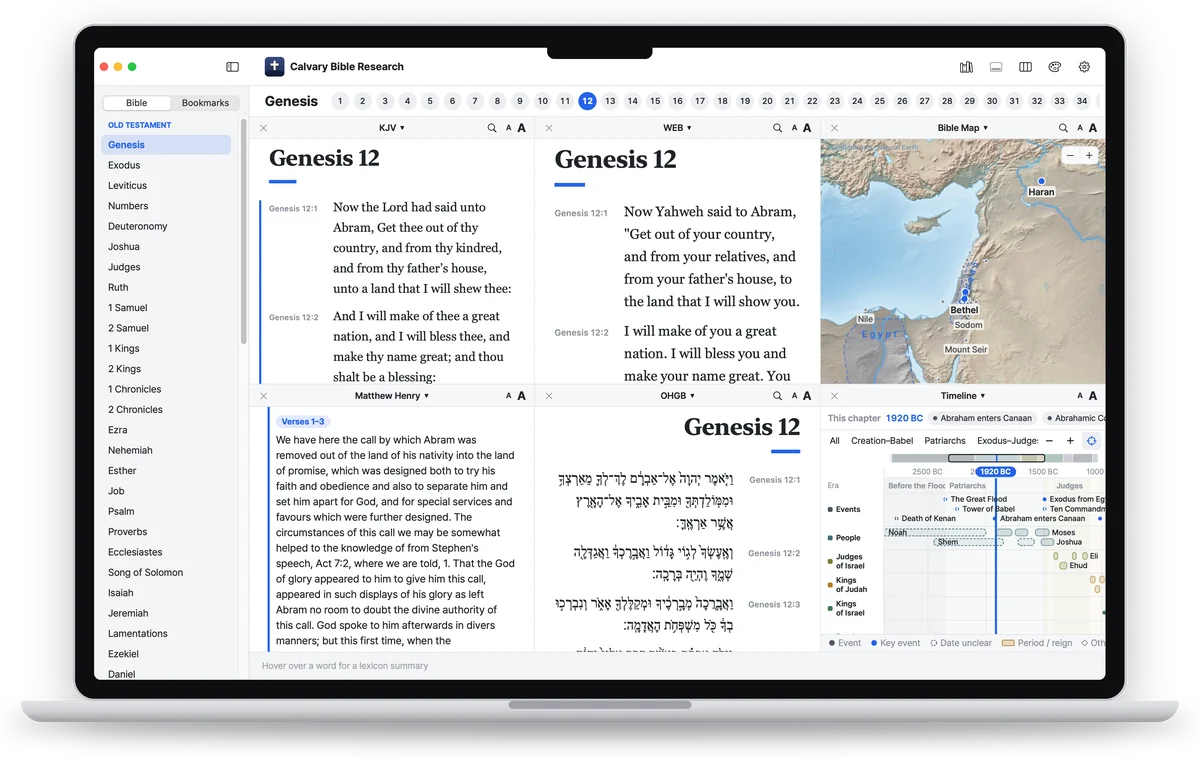
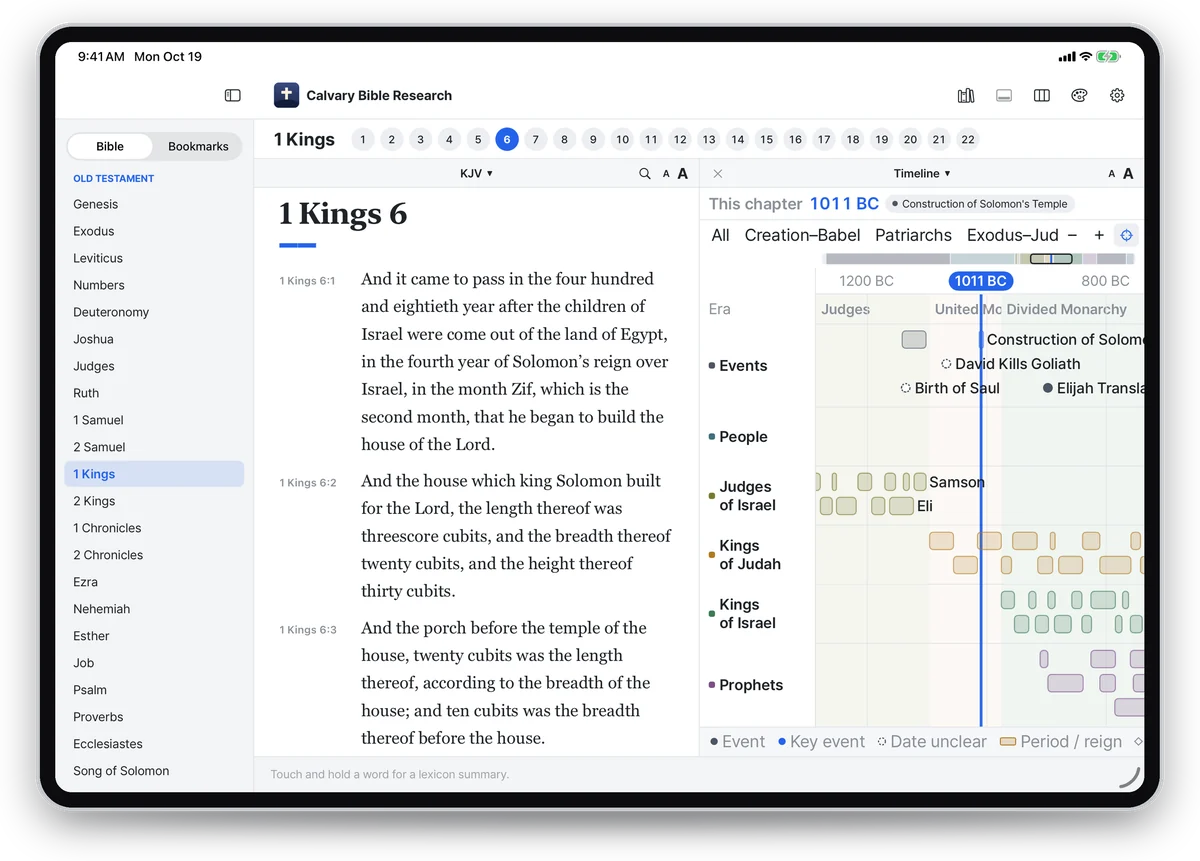
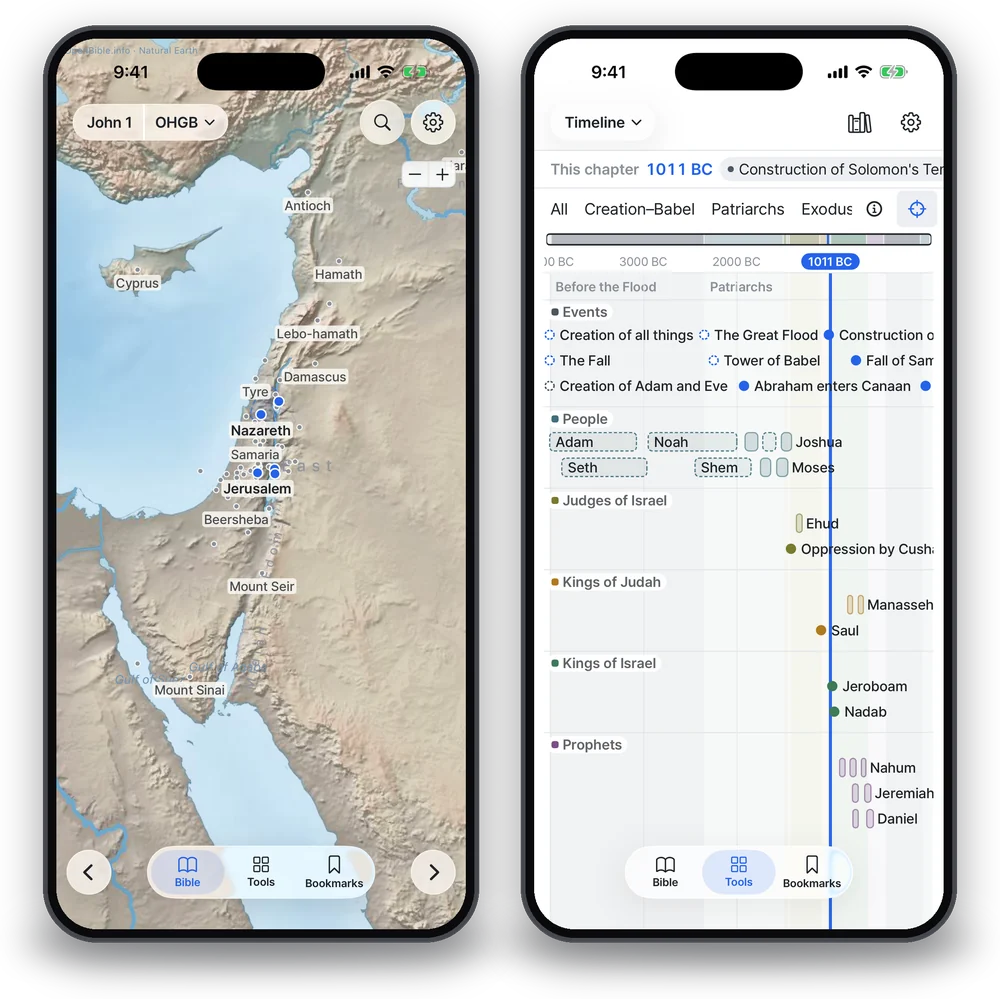
Events, people, judges, kings and prophets on one time axis. The date of the chapter you are reading is marked, and where scholars disagree, the other view is shown too.
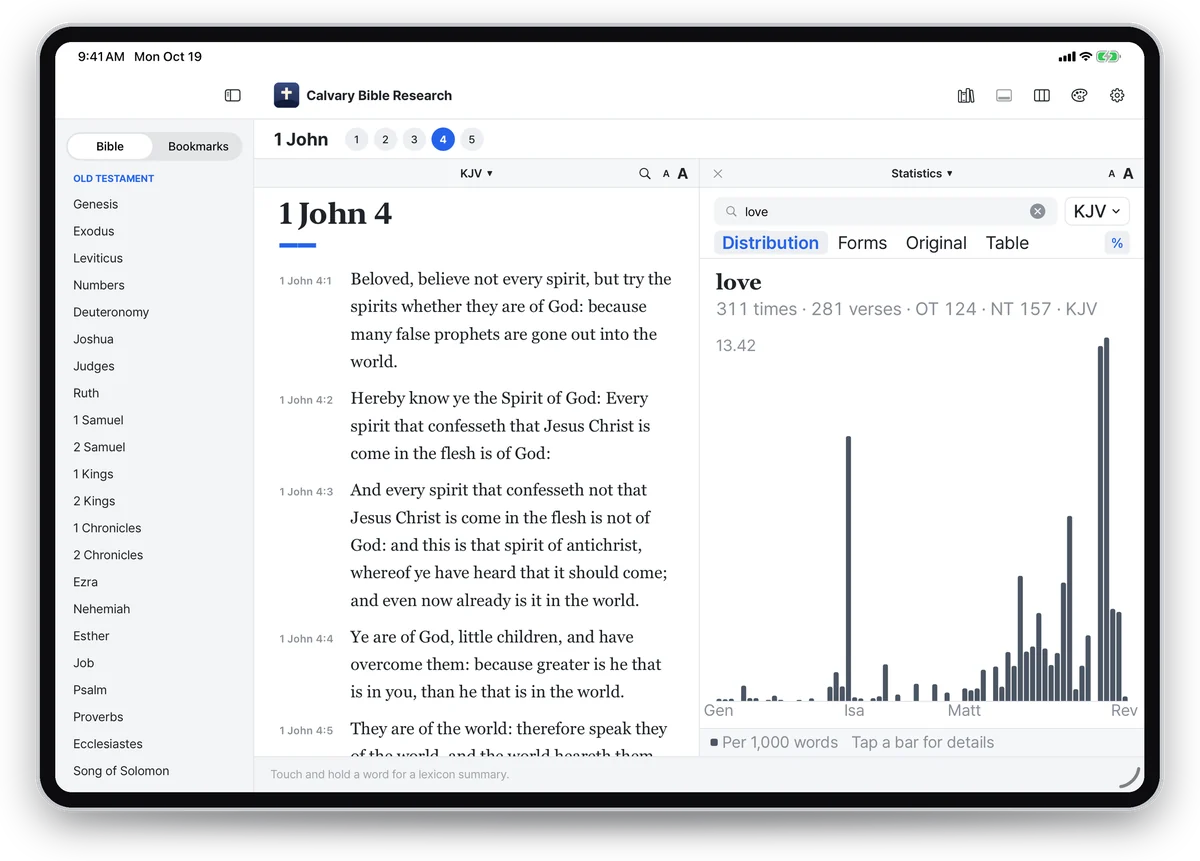
Count how often a word appears in a Bible in that language, by book and by chapter, with word forms and Strong's numbers.
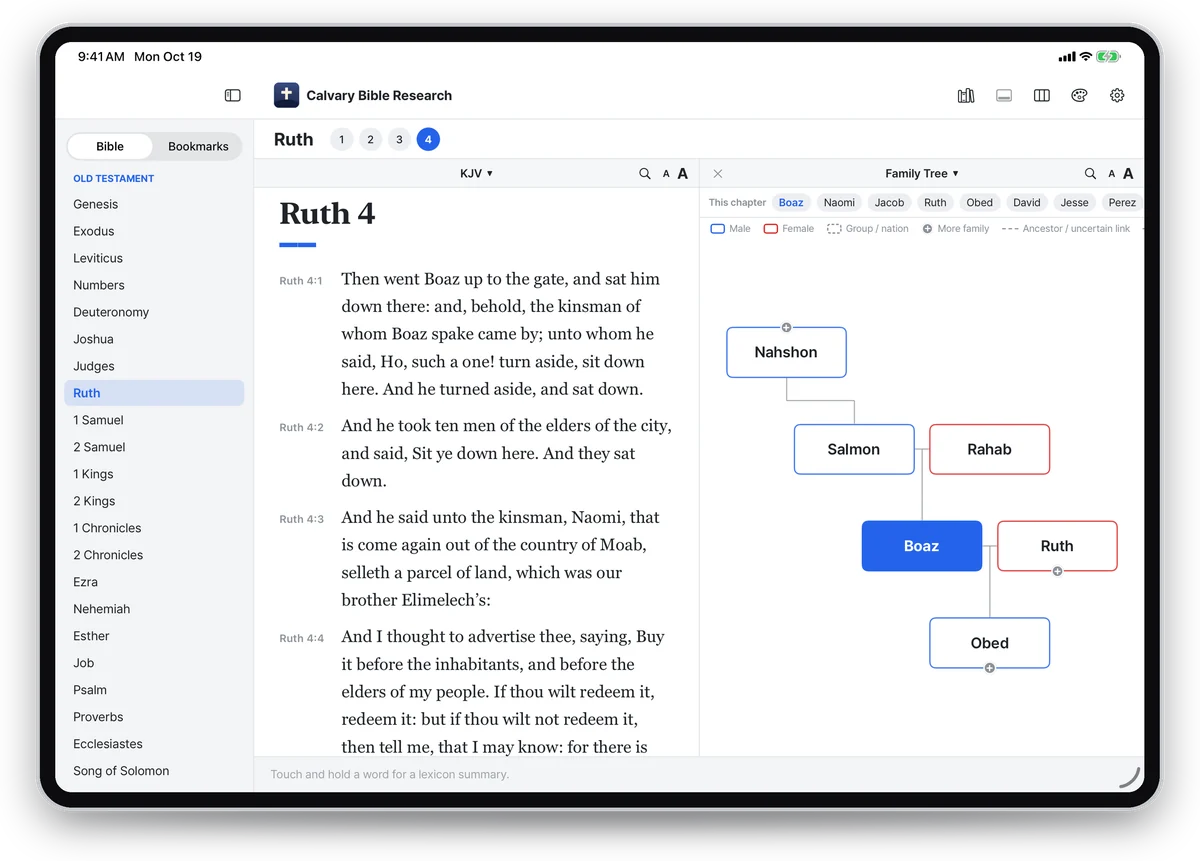
Click a name in the text to see that person's parents, siblings, spouses and children at a glance.
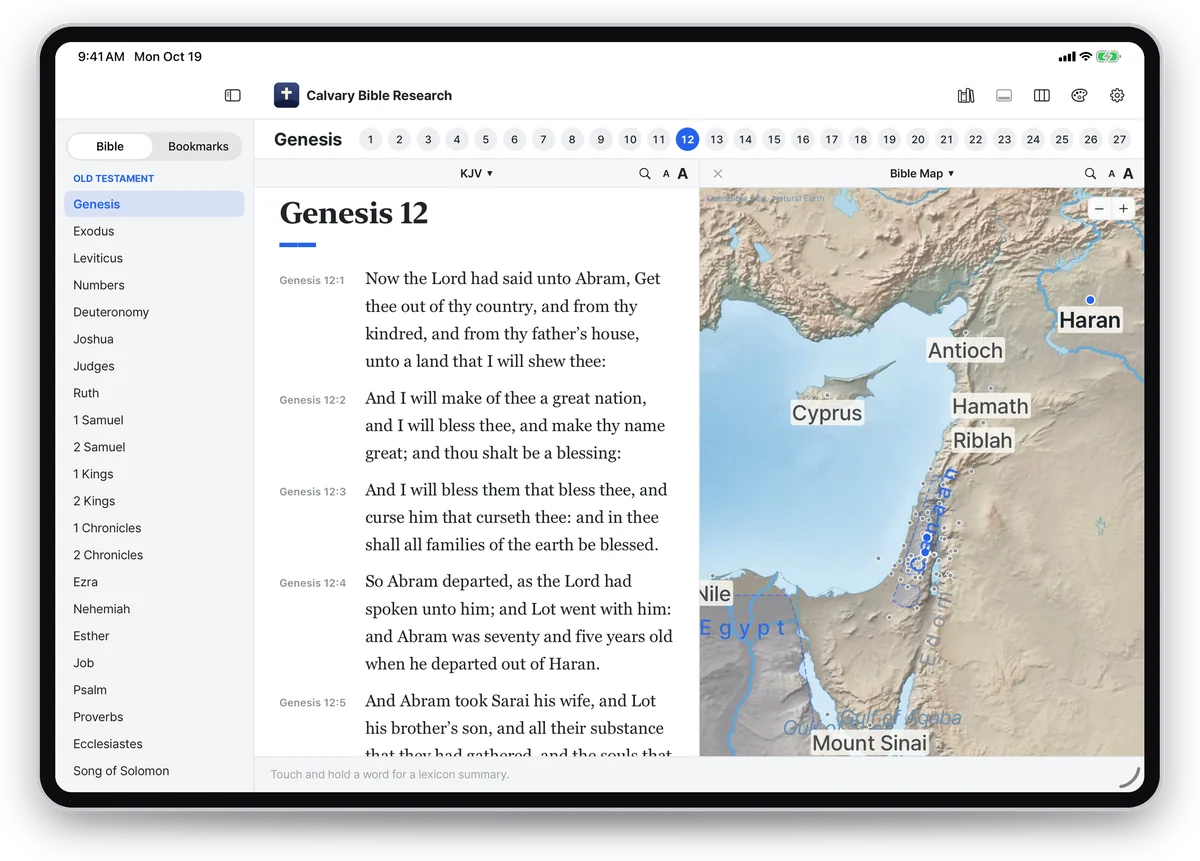
Places in the chapter you are reading are marked on the map. Click a place name in the text to go there. Drawn by the app itself, with no internet needed.
A layout made for iPhone and Android phones: swipe through the text a chapter at a time, with the same resources and features.
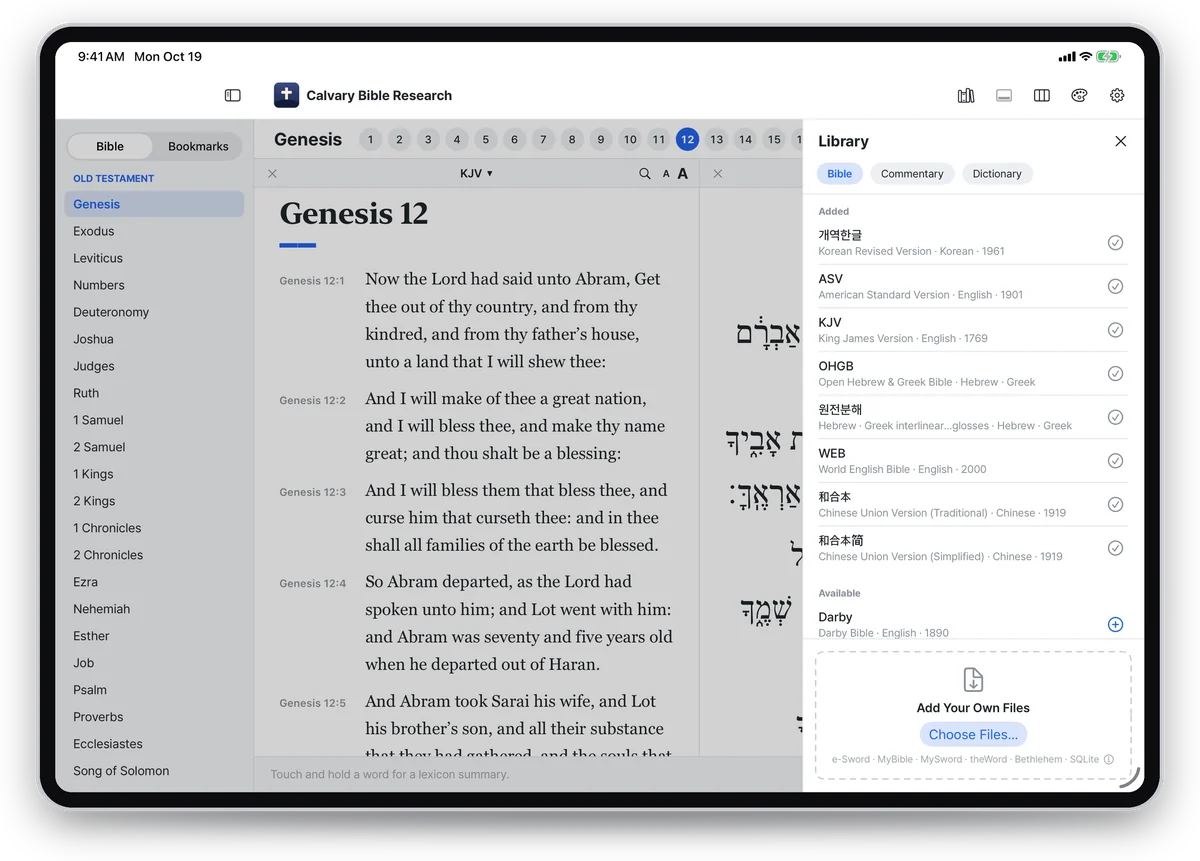
KJV, ASV, Darby, YLT, WEB, Korean Revised Version, Chinese Union (Traditional and Simplified), the Hebrew and Greek text, and a Korean interlinear
Matthew Henry, Jamieson-Fausset-Brown, Poole, Gill, Barnes, Clarke
ISBE, Hastings, Easton, Fausset, plus Strong's lexicon and the TSK cross-references
Drop in Bibles, commentaries, dictionaries, books and devotionals from e-Sword, MyBible, MySword, theWord and Bethlehem, and read them in the same window. Bibles with Strong's numbers link to the original languages, too.
e-Sword · MyBible · MySword · theWord · Bethlehem · SQLite
No. Hover over any word (or touch it on a tablet) to see its Hebrew or Greek original, its pronunciation and a lexicon entry. Click or tap it to gather every verse that uses the same word in the Concordance pane.
Mac (macOS 14 or later), iPad (iPadOS 17 or later) and iPhone (iOS 17 or later) from the App Store, and Windows PCs from the Microsoft Store. Get it on the App Store once and use it on your Mac, iPad and iPhone with the same Apple Account. Android tablet and phone versions are coming soon.
Yes. Drop e-Sword, MyBible, MySword, theWord or Bethlehem files, or SQLite Bible files, onto “Add Your Own Files” in the Library, or choose them there. Bibles, commentaries, dictionaries, books and devotionals are supported, several files at once. Files are converted on your device and never sent anywhere.
Yes. On iPhone and Android phones the app has its own phone layout: swipe through the text a chapter at a time, and switch between the Bible and the tools (Concordance, dictionaries, commentaries, map, family tree, timeline, statistics, sermon notes) from the menu at the bottom. The Android phone version is coming soon.
Only on your device. Nothing is sent anywhere and no personal information is collected. See the Privacy Policy.
Please write to jeffpaik@outlook.com. Your device, its OS version and a screenshot help us find it quickly.